Native OBS collaboration

Perform together,
inside OBS.

Your collaborator's audio, music, or full scene arrives straight in your OBS scene, partner-to-partner over a low-latency relay. One pasted key. No stream-key swaps, no virtual cables, no transcoding in the relay path.

Free plugin - Guest joins with one key - No transcode relay, native end to end

vAudioLinkMusic Collab Connected
GUEST KEYVL-K7QF-2M9X-PA4DCopy
L
R
M
Delay 142 ms - Signed in - Streaming hours left: 38
One suite, three ways to collaborate

Pick the link your show needs

Each product is its own OBS dock and installer, built on the same paste-a-key flow and no-transcode relay path. Mix and match them from one account.

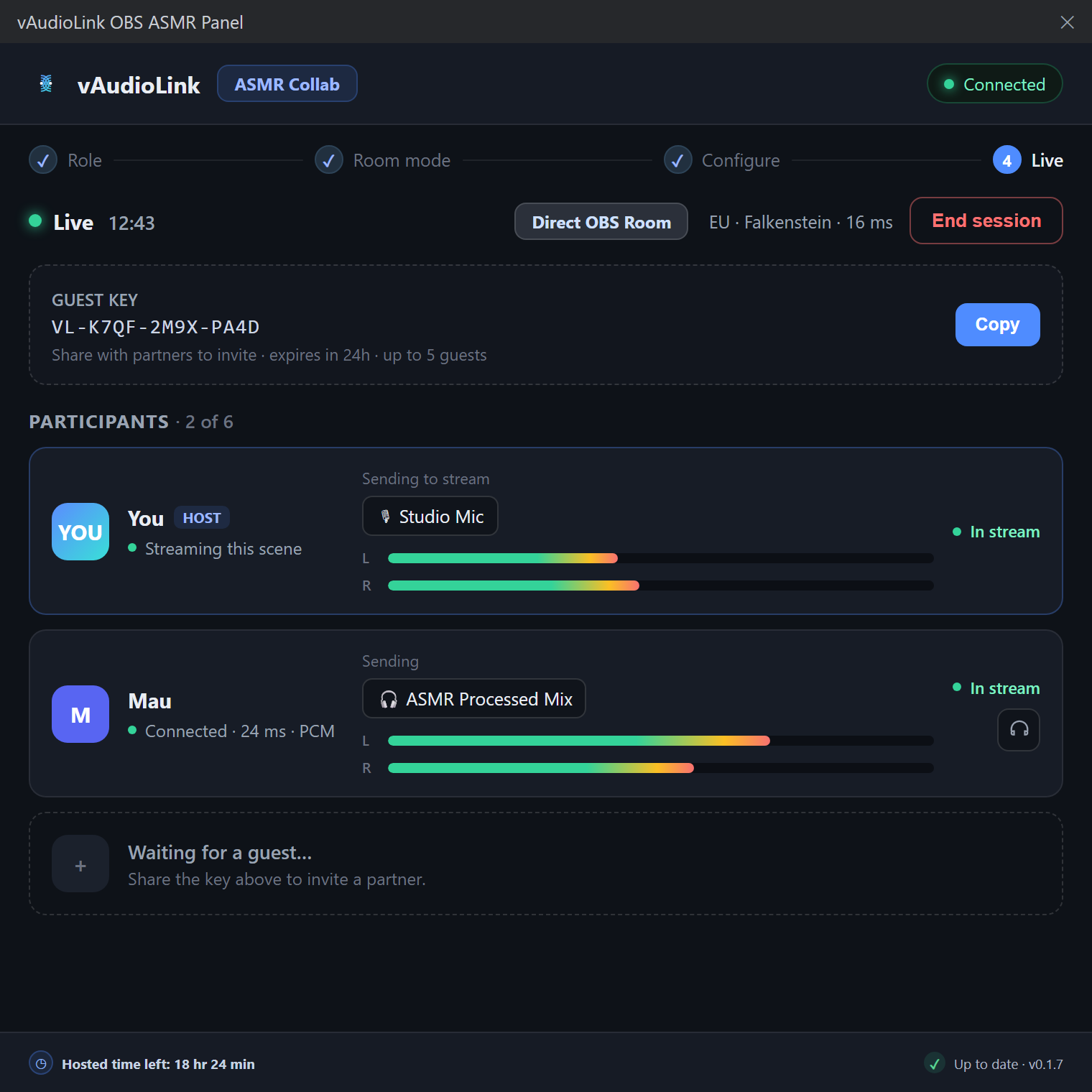
ASMR Collab Audio

Binaural, stereo microphone audio from your partner, placed exactly where it belongs in your scene.

Lossless PCM or AAC-LC, L/R preserved
Spatial tracking around a head image
Encrypted relay, short-lived guest keys

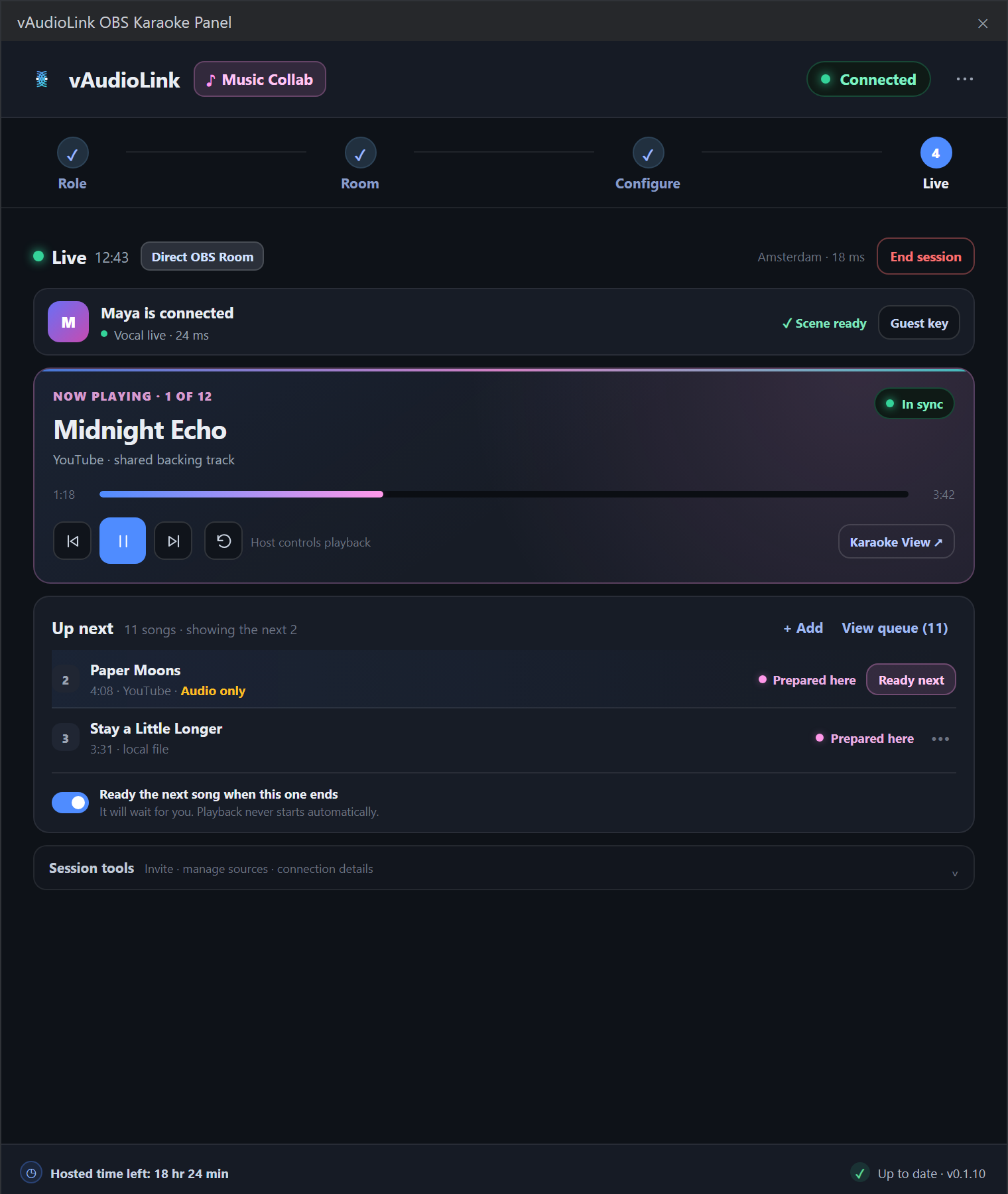
Music Collab vKaraoke

Sing duets over a shared backing track. Both voices land on the beat, aligned to the song, not the network.

Plugin-owned backing clock
Transport and clock-skew independent vocals
Paste a YouTube link or a local file

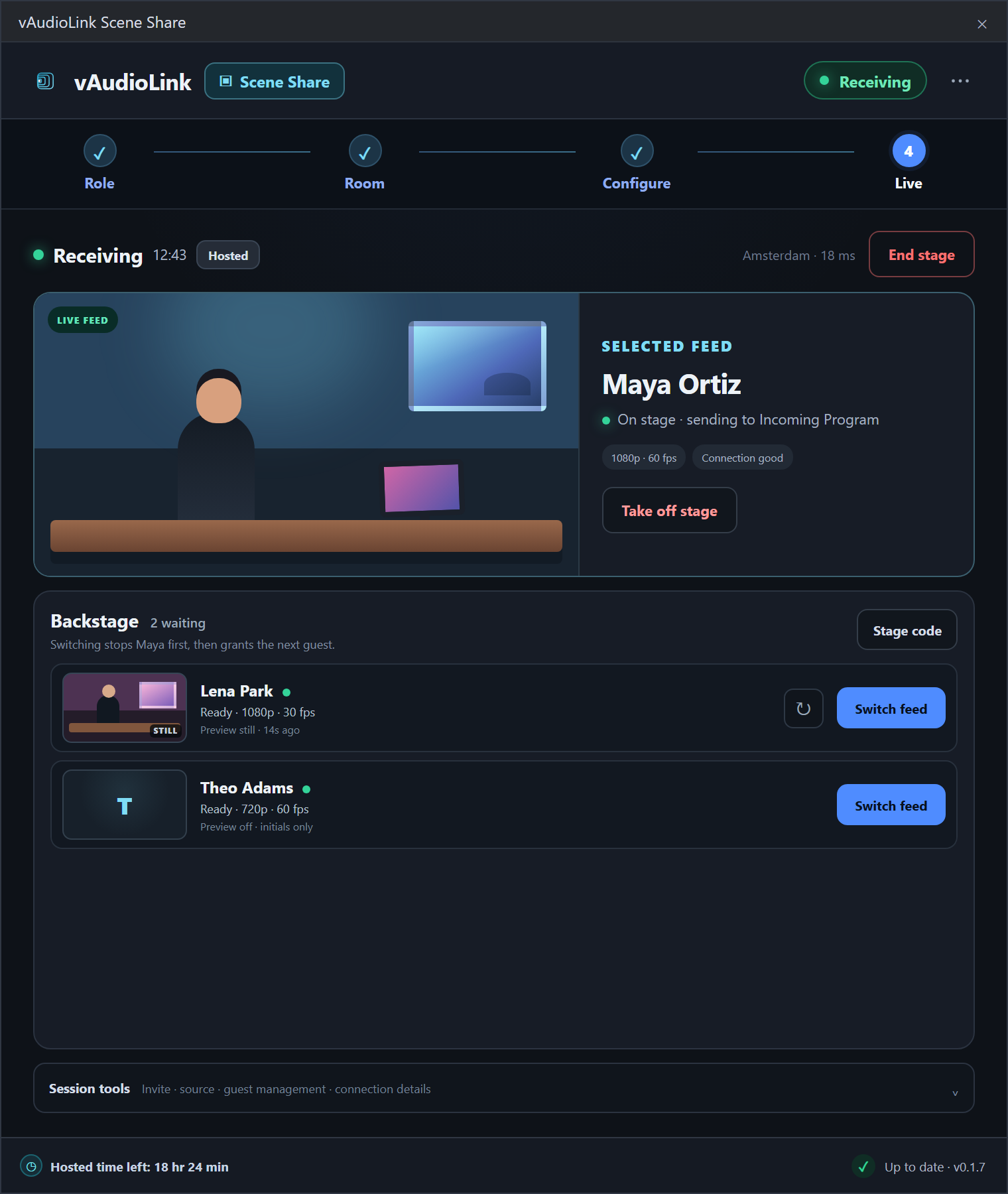
Scene Share vScene

Send your whole OBS program to a partner as one source, with video and audio muxed together.

H.264 and AAC over SRT, one-way
Drops into their scene as a single source
Self-host the relay with zero database
How it works

Three steps, never leave OBS

The same flow across every product. Your collaborator does not need an account, just the key you hand them.

01

Create a room in OBS

Sign in from the dock and open a hosted session without leaving your production workspace.

02

Share one guest key

Send the collaborator key. It expires automatically and never requires them to subscribe.

03

It appears in your scene

Add the native source once. Your filters, scenes, and stream output stay under your control.

Built for fidelity

The hard parts, solved

Remote collaboration usually means quality loss, drift, and dropouts. vAudioLink keeps the media path simple and predictable.

01

No transcode relay

The relay forwards media by stream id and does not decode or re-encode the media path.

02

Sync that holds

Music Collab aligns singers to the song on a shared clock; Scene Share muxes one stream so A/V stays together.

03

Encrypted and ephemeral

Hosted connections use TLS and short-lived, server-issued tokens. Guests join with an expiring key.

04

Independent OBS docks

Each dock manages its own sources and outputs, without changing global OBS stream settings.

05

Region-aware relays

Use the closest hosted relay for lower delay, or point the client at your own relay.

06

One account, three docks

ASMR, Music, and Scene share a single panel account while staying separate installers.

Real OBS surfaces

The actual docks, not just a mockup

These slots are reserved for operator-supplied PNG captures from production OBS. They keep the layout stable while real screenshots are collected.

Placeholder for the real vAudioLink ASMR OBS dock screenshot

ASMR Collab OBS dock

Replace this placeholder with a real PNG capture from OBS before the next marketing media refresh.

Placeholder for the real vAudioLink Music Collab OBS dock screenshot

Music Collab OBS dock

Replace this placeholder with a real PNG capture from OBS before the next marketing media refresh.

Placeholder for the real vAudioLink Scene Share OBS dock screenshot

Scene Share OBS dock

Replace this placeholder with a real PNG capture from OBS before the next marketing media refresh.

Self-host friendly

Run your own relay, free

Prefer to own the pipe? Scene Share ships a standalone, self-hostable relay with a headless CLI and stateless HMAC tokens. The OBS client stays the same.

Read the self-host guide
Pricing

Free plugin. One simple plan.

Download and install everything for free. Creator unlocks the hosted relay, guest keys, and account monitoring.

Plugin
Free
  • All three OBS docks
  • Self-hosted relays
  • Guest client support
Download
Creator
EUR 10 /mo + VAT
  • Encrypted hosted rooms
  • One-key guest invites
  • Streaming hours and account monitoring
  • Region-aware relay selection
Start with Creator
Common questions

Before your first session

Does my collaborator need a subscription?

No. Your guest joins with the expiring key you share from the dock.

Does the relay store my audio or video?

No. Media is forwarded in real time and is not stored by default.

Will it change my OBS stream settings?

No. Each dock creates only its own sources and outputs.

Can I self-host?

Yes. Scene Share includes a standalone relay, and the OBS clients can be pointed at your own relay.

Bring your collaborator into the scene.

Install the free plugin, sign in from the dock, and share your first key in under five minutes.